
Getting the most from reports
Reports are one of the most powerful tools in FlopHero for finding and fixing leaks. But most players either don't use them at all or waste time looking at the wrong things. This guide shows you how to use reports systematically to improve faster and study with purpose.
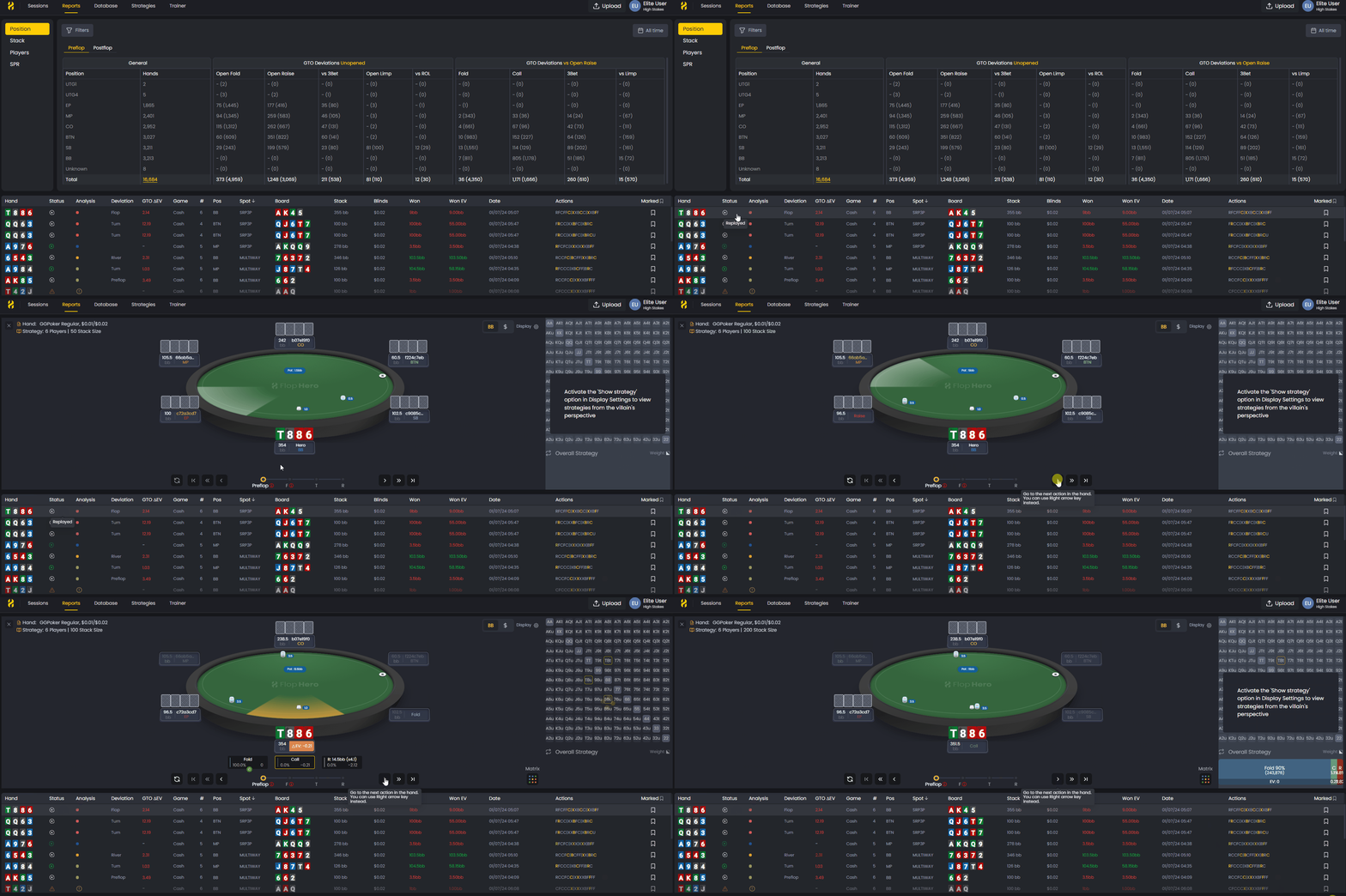
Filter by report, review in the Handlist, and analyze in the Replayer — the fastest workflow to identify and fix EV leaks.
The key is following a proven workflow: start broad, narrow down to high-impact spots, and always connect the numbers back to actual hands.
Start with the big picture
Before diving into specific reports, check your Session Dashboard to understand your overall performance. Look at your GTO ΔEV and EV Loss % to see where your largest value losses come from.
This gives you context. If you're losing 5bb/100 to mistakes, you know there's work to do and reports help you break down exactly where those losses occur.
Follow a systematic review process
Don't just click around randomly. Use this proven sequence to find your biggest leaks:
Step 1: Position Reports
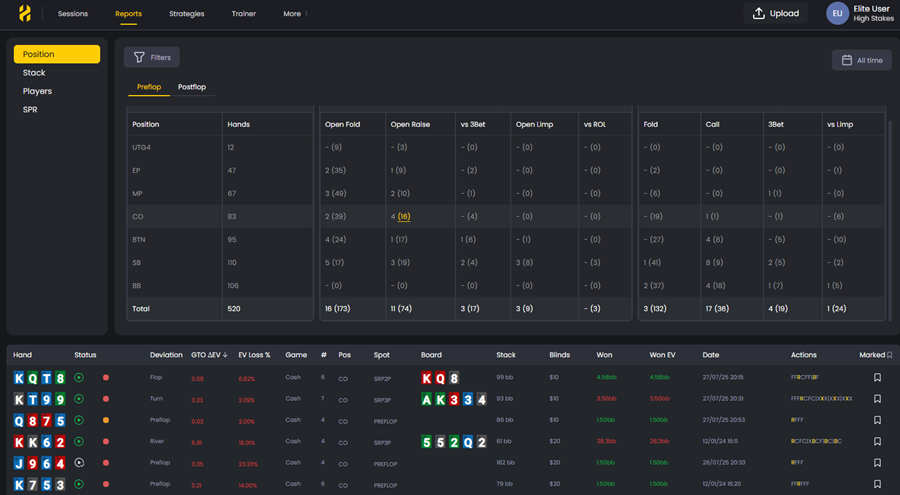
Start with position reports to see which seats are costing you the most. Look for negative results from the blinds or weak profits from late position. This tells you where to focus your study time.
Step 2: Preflop Reports
Review your preflop performance in single-raised pots (SRP), 3-bet pots (3BP), and 4-bet pots (4BP). These show whether your preflop ranges or reactions need refinement. Most players leak heavily in 3-bet and 4-bet scenarios because they don't study them enough.
Step 3: Stack Size and SPR Reports
Compare your play across different stack depths and stack-to-pot ratios (SPR). You might perform well at 100bb stacks but struggle with short stacks or high SPR situations. Identifying this pattern lets you target specific scenarios for improvement.
Step 4: Postflop Reports
Examine your decisions on the flop, turn, and river. Focus your study on the most expensive errors first.
Focus on high-impact spots
Not all leaks are worth immediate attention. Prioritize based on three factors:
- Frequency - How often the situation appears
- Cost - The total ΔEV lost in that spot
- Fixability - Whether the issue is simple to correct
Start with high-frequency, high-cost, and easy-to-fix leaks to build quick progress and focus on spots with 100+ hands for reliable analysis.
Review hands and analyze leaks
Reports show where you lose EV, but real progress comes from reviewing the specific hands behind the stats.
At the bottom of every report, the Handlist shows all hands that match your current filters. Click any hand to open it in the GTO Replayer, compare your actions to solver recommendations, and study what caused the mistake.
This cycle - filter by report, review in the Handlist, study in the Replayer - is the fastest and most efficient way to identify and fix your leaks.
Compare yourself to GTO
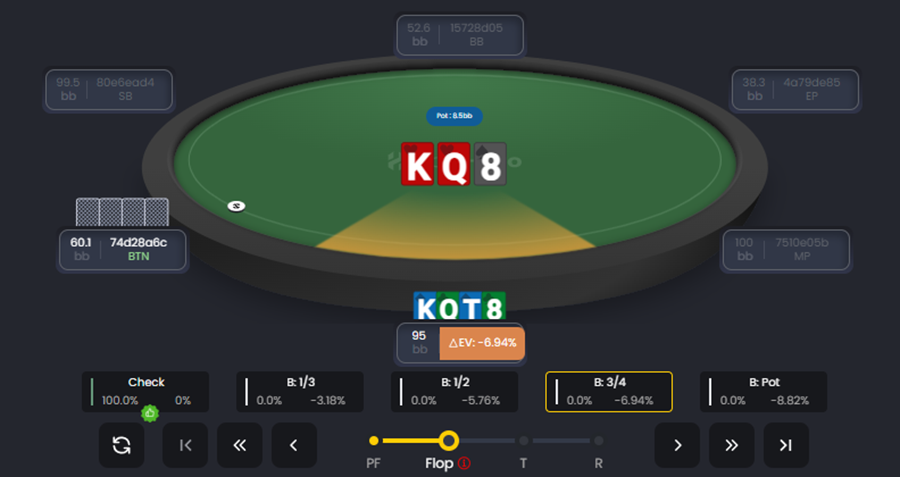
On the Replayer you will be able to see the GTO frequencies and your deviation in GTO ΔEV or EV Loss %.Use both to compare your play to GTO and see how much a particular leak is costing you.
Review regularly but not excessively
Establish a simple review rhythm:
- After each session - Quick scan of major leaks
- Weekly - Focused review of one problem area
- Monthly - Progress check across all tracked spots
Avoid over-analyzing. Wait until you have a big sample of hands in a given scenario before drawing conclusions. Small samples lie.
Use reports to guide your study
Reports identify what to study. The Replayer and Decision Analysis tools show you how to correct it.
When you find a leak:
- Filter the Handlist for the specific hands
- Open them in the Replayer
- Practice those spots in the Trainer to reinforce correct play
Track your improvement
Save your most-used report filters to monitor progress over time. For example, create a "Button 3-bet Pots" filter and check it monthly.
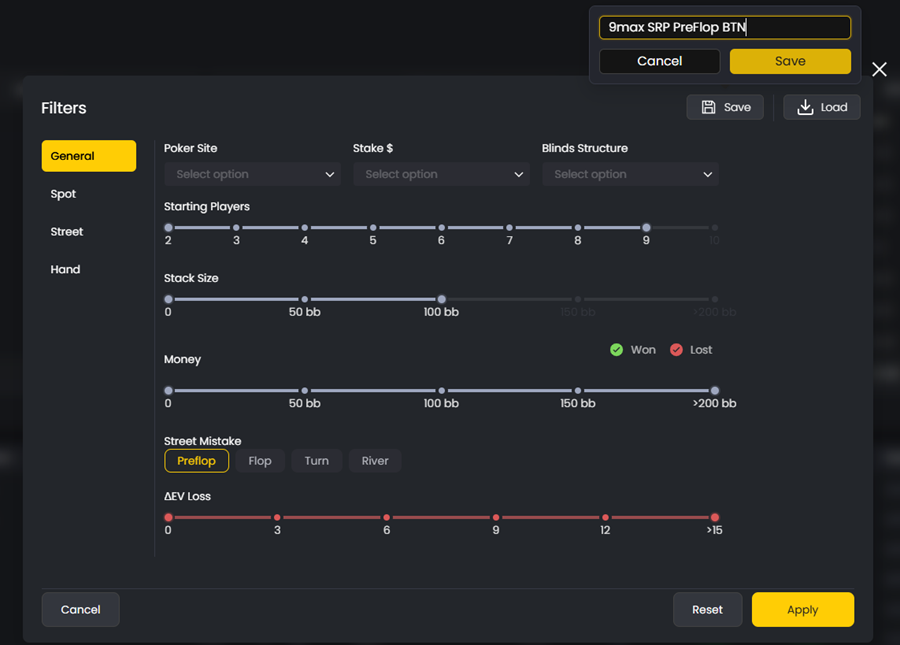
Track whether your ΔEV is improving and your frequencies are getting closer to GTO benchmarks. Improvement compounds when you focus on one or two major leaks at a time instead of trying to fix everything at once.
Common mistakes to avoid
- Too few hands - Avoid drawing conclusions from small samples
- Ignoring frequency - Small, frequent mistakes cost more than rare blunders
- Not reviewing actual hands - Numbers alone don't explain why mistakes happen
- Trying to fix everything - Focus on one or two high-value leaks before expanding
Reports are most powerful when used as part of a full study cycle. Use them to find leaks, then rely on the Replayer and Trainer to understand and correct them. That's how you turn data into real improvement.
Was this article helpful?
Still need help?
Join our community
Get instant support from experts and fellow players
Join Discord Community