
Account Setup and First Steps
Getting started with FlopHero takes just a few minutes. This guide explains how to create your account, log in, set your preferences, and understand your plan options so you can start analyzing hands right away.
Create your account
Go to flophero.com and click Get Started for Free. You’ll see several signup options:
- Continue with Google
- Discord
- Email and password
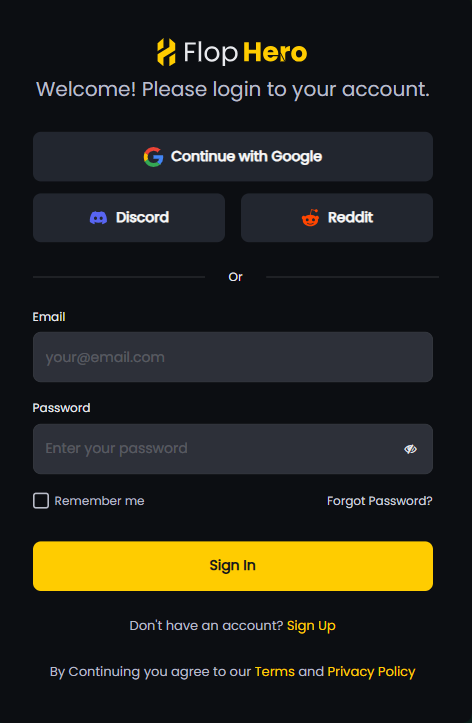
Pick whichever you prefer. If you’re using email, fill in your email address, password, first name, and last name.
After submitting, check your inbox for a verification email. Click the link to activate your account. Check spam if you don’t see it within a few minutes.
Once verified, you’re in.
Your dashboard
After logging in, you’ll land on the Sessions page. This is where you’ll get the first look at all the options you have inside FlopHero.
The empty state shows: “Ready to Review Your Hands?” From here you can upload hand history files or download Live Tracker to auto-capture hands from your local folder.
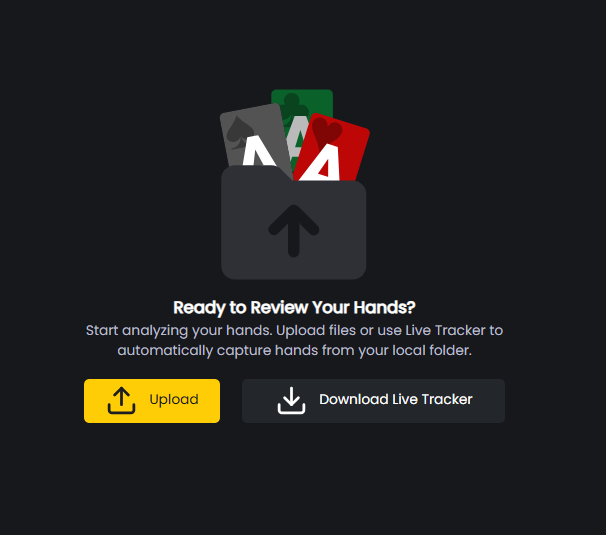
The top navigation has five tabs: Sessions, Reports, Strategies, Trainer, and More. The More menu gives you Database and Live Tracker downloads.

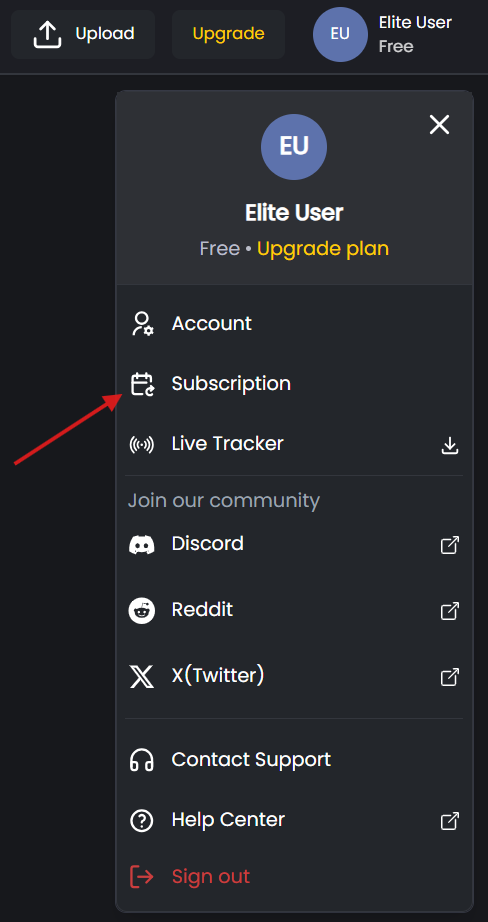
The top right shows an Upload button, an Upgrade button (which takes you to the subscription and billing page), and your profile icon with your current plan status.

For a complete walkthrough of what each tab does, check out our FlopHero Interface Overview article.
Account settings
Before analyzing hands, you can adjust your settings and connect your social networks to join our community and stay up to date with our updates.
Click your profile icon, then select Account.
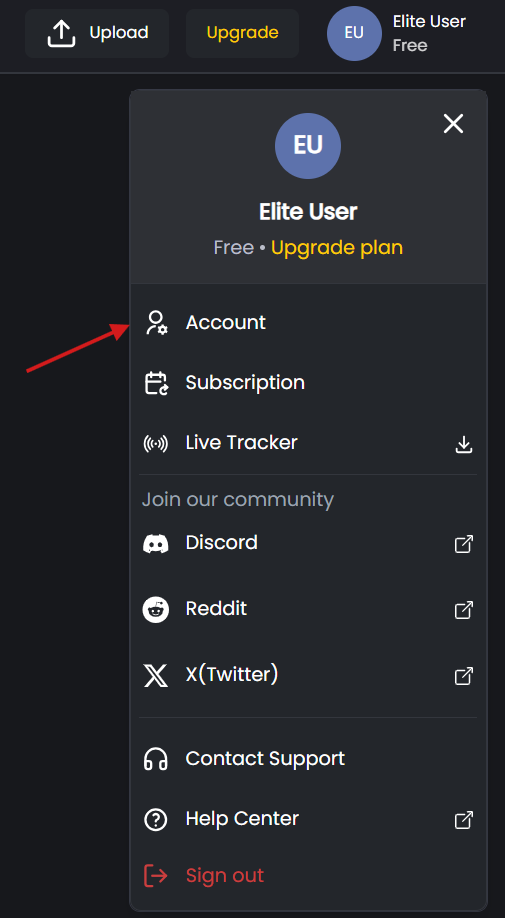
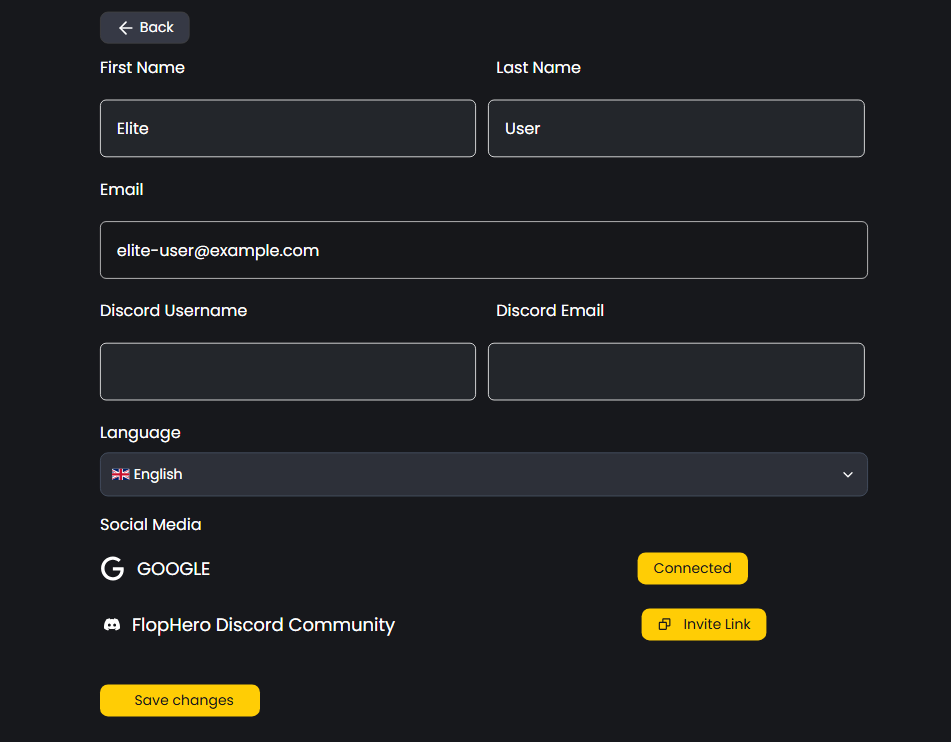
You’ll see these fields:
- First Name and Last Name - Customize the name that appears in your dashboard.
- Email - Shows your registered email. Can’t be changed here.
- Discord Username and Discord Email - Connect your Discord account here.
- Language - Pick your preferred language if English isn’t your first choice.
- Social media - Shows connected accounts (like Google if you signed up that way). You can use our Invite Link to join our Discord community and get the most out of our service, including customer support, future updates, and more.
Hit Save changes when done.
Subscription plans
Here’s where FlopHero is different from other tools in the market.
One of our main differentiators is having subscription tiers based on your stakes, not on what you can access. This means all our subscriptions give you full access to all the software features. The only difference is the stakes you can analyze and get insights from.
You get unlimited access to every feature inside FlopHero: GTO Replayer, Reports, Strategies, Trainer, Live Tracker, Sessions and Database. No feature paywalls. No “premium only” tools.
Most poker software locks features behind higher tiers. Want advanced reports? Pay more. Need the full solver? Upgrade.
With FlopHero, you pay for the stakes you play, not the tools you use. For more details, read about our subscription philosophy.
Free plan
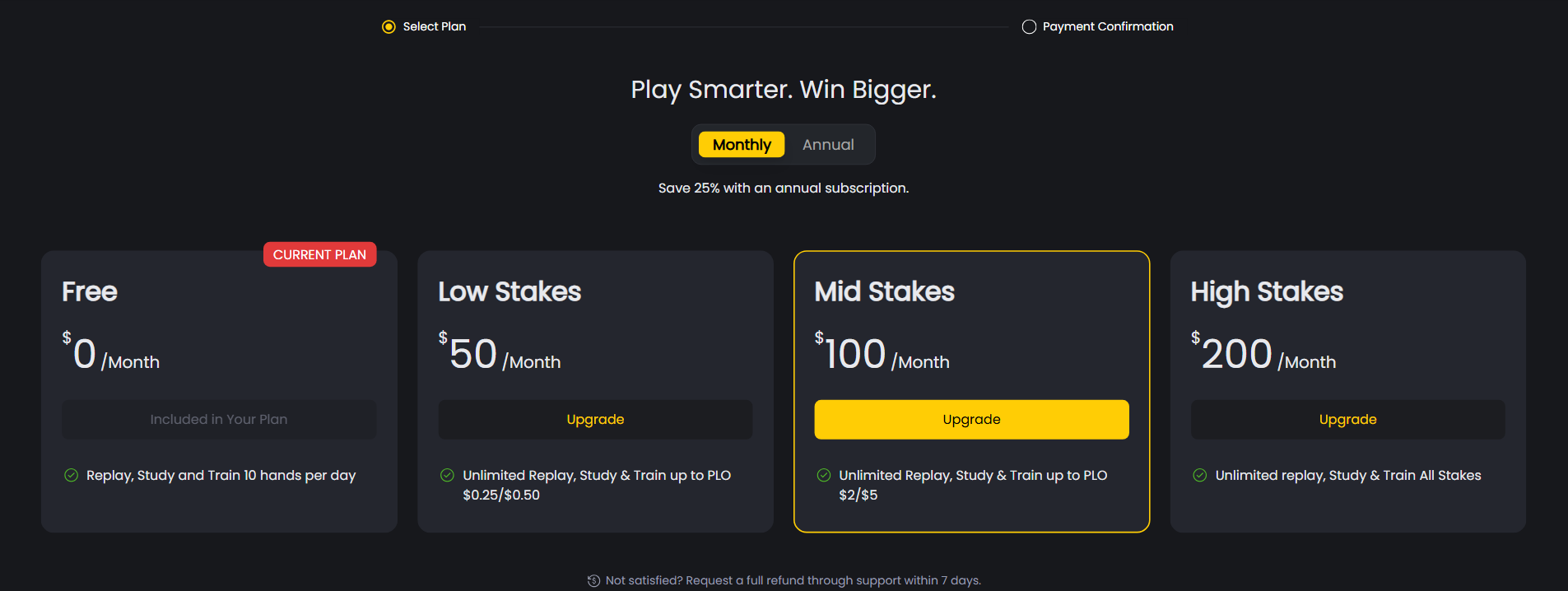
Free Plan: $0 per month. Our Free plan lets you explore the platform by giving you 10 hands per day for free. Full access to all tools, just limited to 10 hands per day.
Low stakes
Low Stakes: $50 per month. If you’re a low stakes player, you have unlimited access to Replay, Study & Train up to PLO $0.25/$0.50. Same tools as everyone else, capped at $0.50 blinds.
Mid stakes
Mid Stakes: $100 per month. Unlimited hands up to PLO $2/$5. Same feature set.
High stakes
High Stakes: $200 per month. High stakes players get access to all stakes. Unlimited hands, no caps.
You can switch between monthly and annual billing anytime and save 25% with an annual subscription.
The pricing makes sense when you think about it. A $0.25/$0.50 grinder doesn’t need to analyze $10/$20 hands, but he wants to have access to all the features without needing to pay more for each one and that´s what sets us apart. All features, 1 price.
You can compare and upgrade plans anytime from your dashboard. Start with the plan that fits your current level. Move up whenever you start playing higher stakes.
Not sure which plan fits? Start with Free and upgrade when you hit the 10-hand daily limit. You can change plans anytime.
Was this article helpful?
Still need help?
Join our community
Get instant support from experts and fellow players
Join Discord Community